 Darb
DarbHow to download your company bylaws (Articles of Association)
Step-by-step guide to downloading your company's bylaws from the Saudi Business Center.
Your company bylaws (Articles of Association) are issued by the Saudi Business Center. You may need this document to complete your Darb registration. Follow these steps to download it:
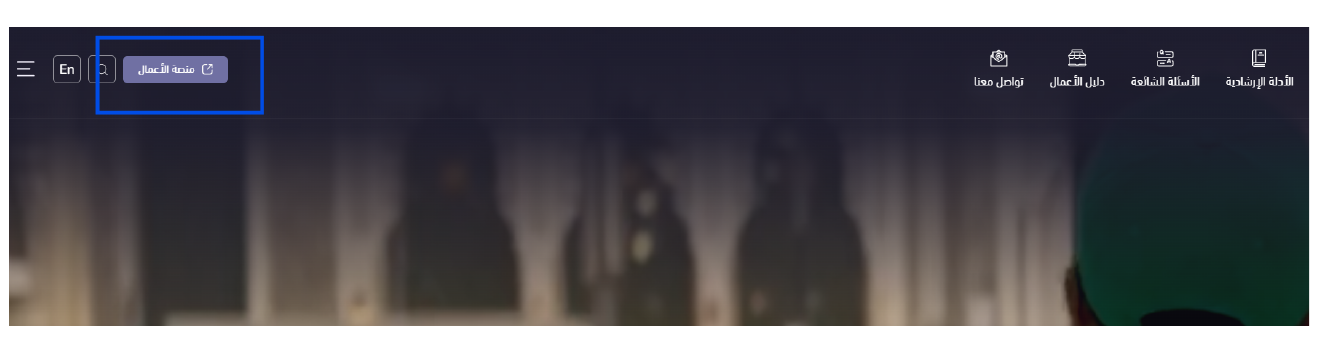
- Go to the Saudi Business Center at business.sa and log in through the Business Platform.
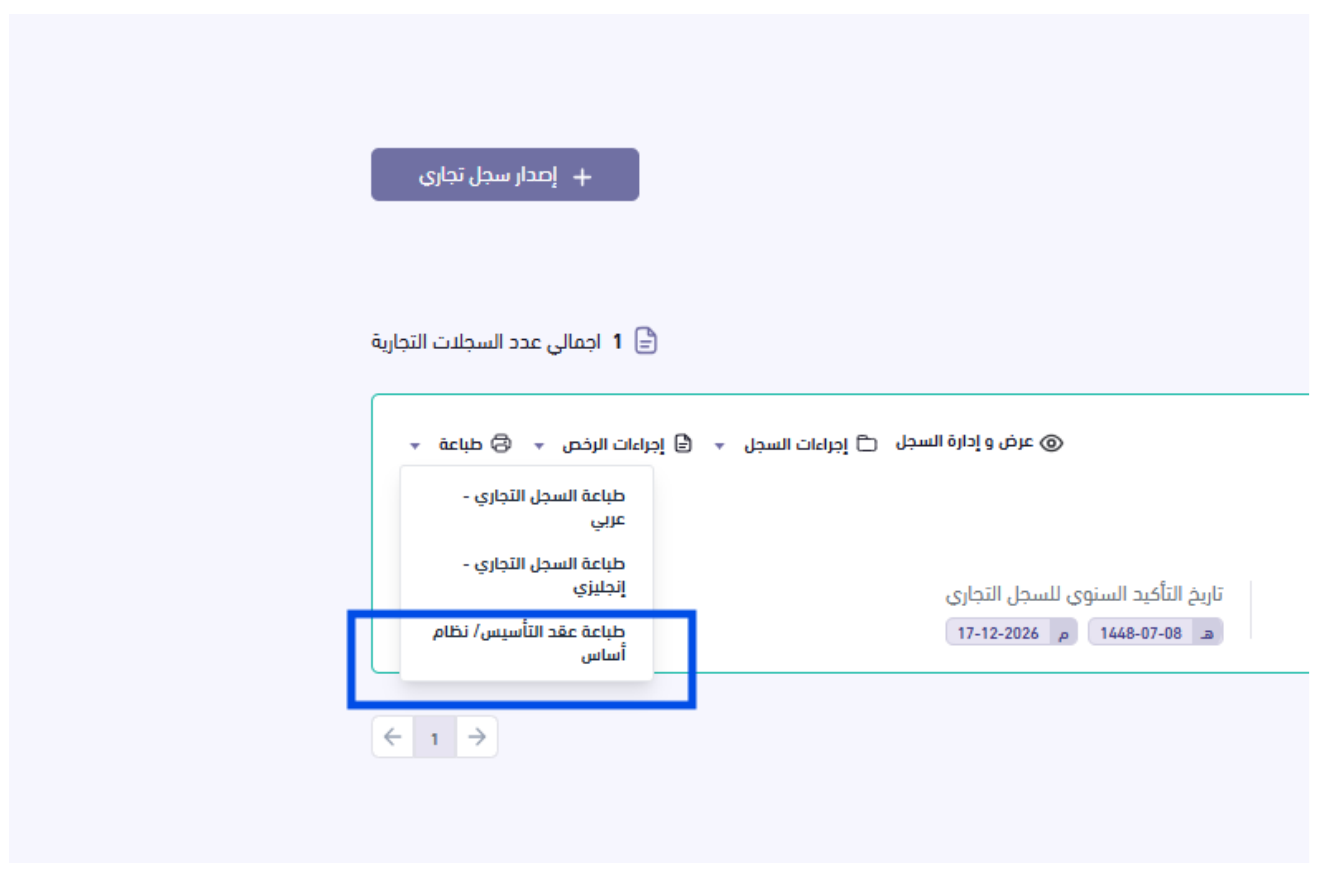
- Open the "Commercial Registers" (السجلات التجارية) tab in your investor profile.
- Click "Print" (طباعة), then choose "Print Articles of Association / Bylaws".

Need help?
If you need support, contact us: Email info@darbpay.com — Phone 0114516488 (Sunday–Thursday, 9:00 AM – 5:00 PM, KSA Time).