 Darb
DarbHow to Add and Bulk Upload Vehicles
Add vehicles individually or upload multiple vehicles at once.
Add a Vehicle
- Go to Fleet and click + Add Vehicle.
- Enter the required details.
- Select the configured policy.
- Click Save.
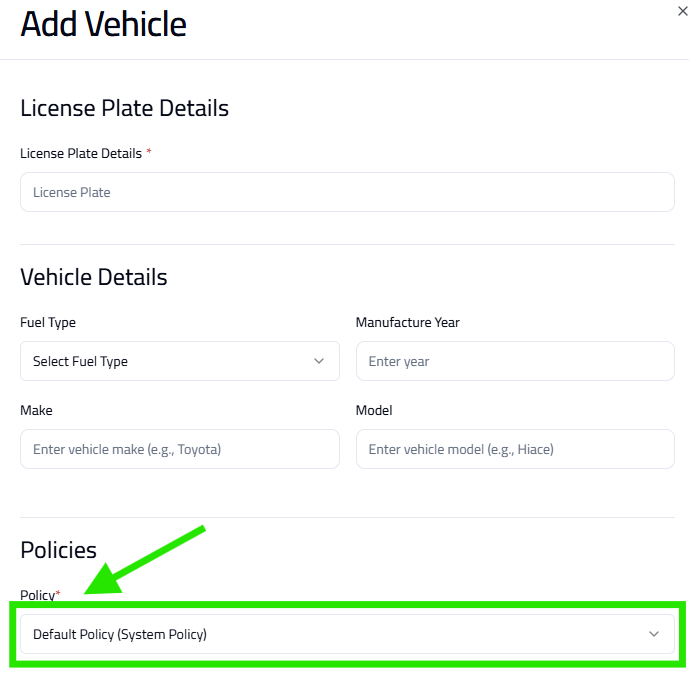
Note: Configure your policy first before adding vehicles — policies control how the vehicle uses its card.
Bulk Upload Vehicles
- Go to Fleet and click Bulk Upload.
- Choose the Template Type.
- Click Next: Upload File.
- Upload the CSV file with vehicle information.
- Review the data and click Confirm Upload.
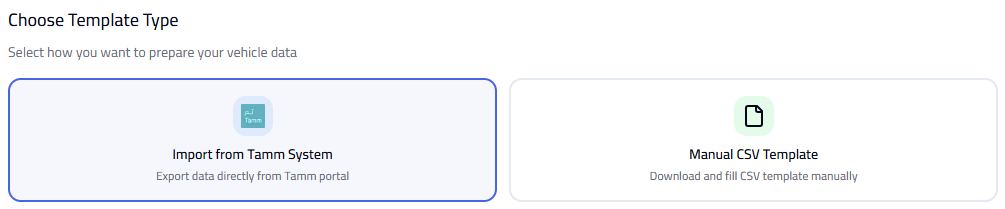
Tip: Ensure all CSV data is accurate. Use the correct template format to avoid upload errors.