 Darb
DarbHow to connect Odoo to Darb
Step-by-step guide to syncing your Darb transactions to your Odoo accounting.
Connect your Odoo database to Darb to automatically sync your transactions into your accounting. Follow these steps to set up the integration.
Step 1: Start the integration in your Darb portal
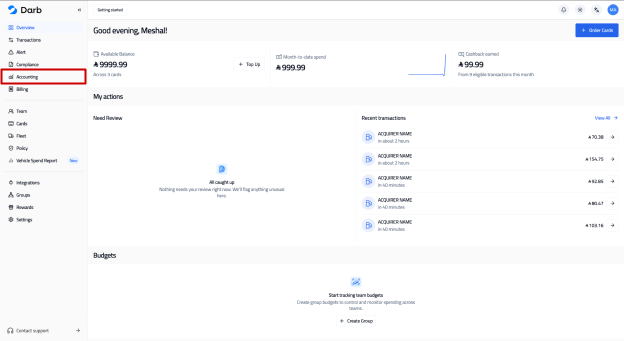
- Log in to your Darb portal at app.darbpay.com.
- Click the Accounting section in the sidebar.
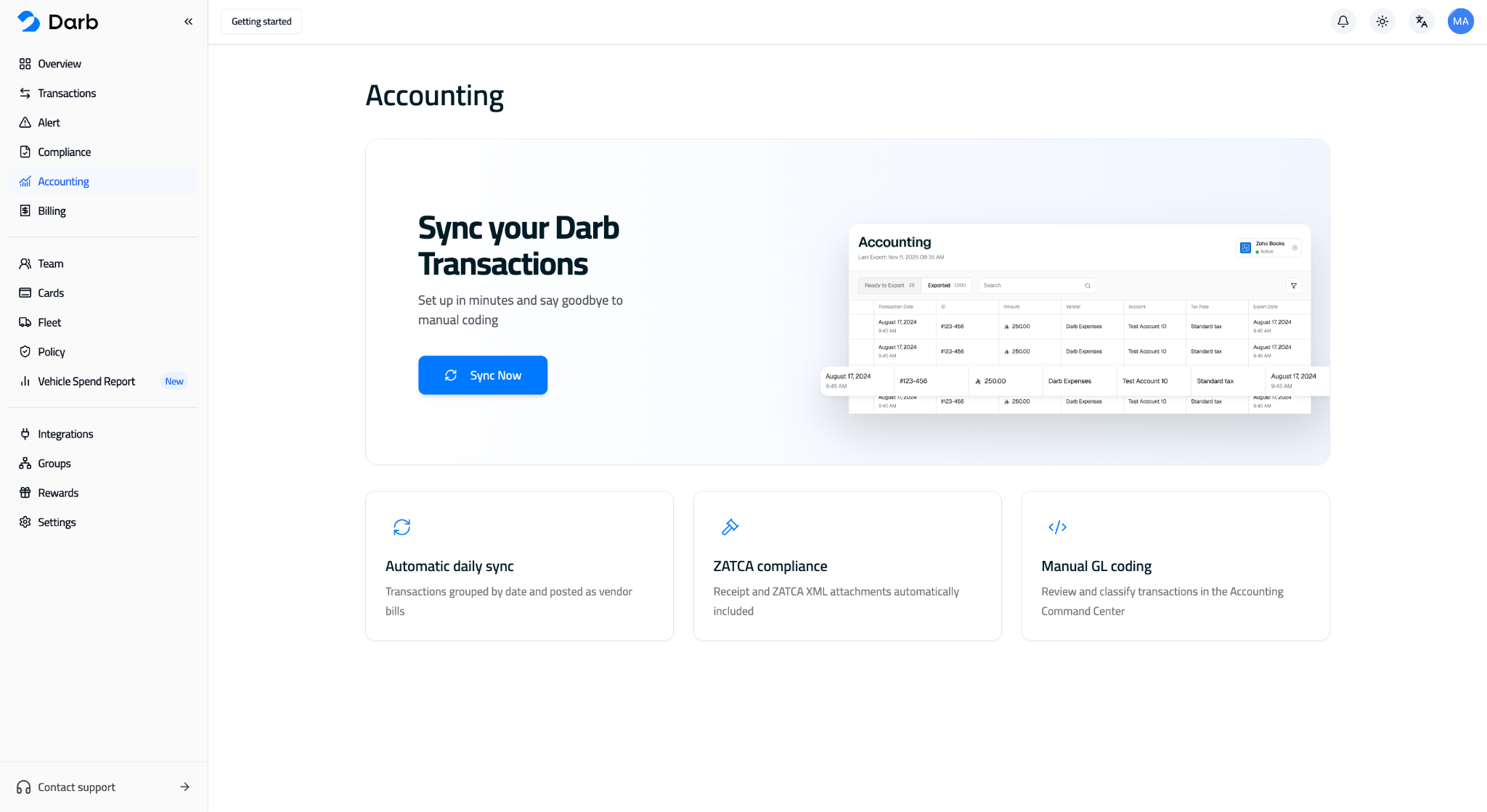
- Press Sync Now.
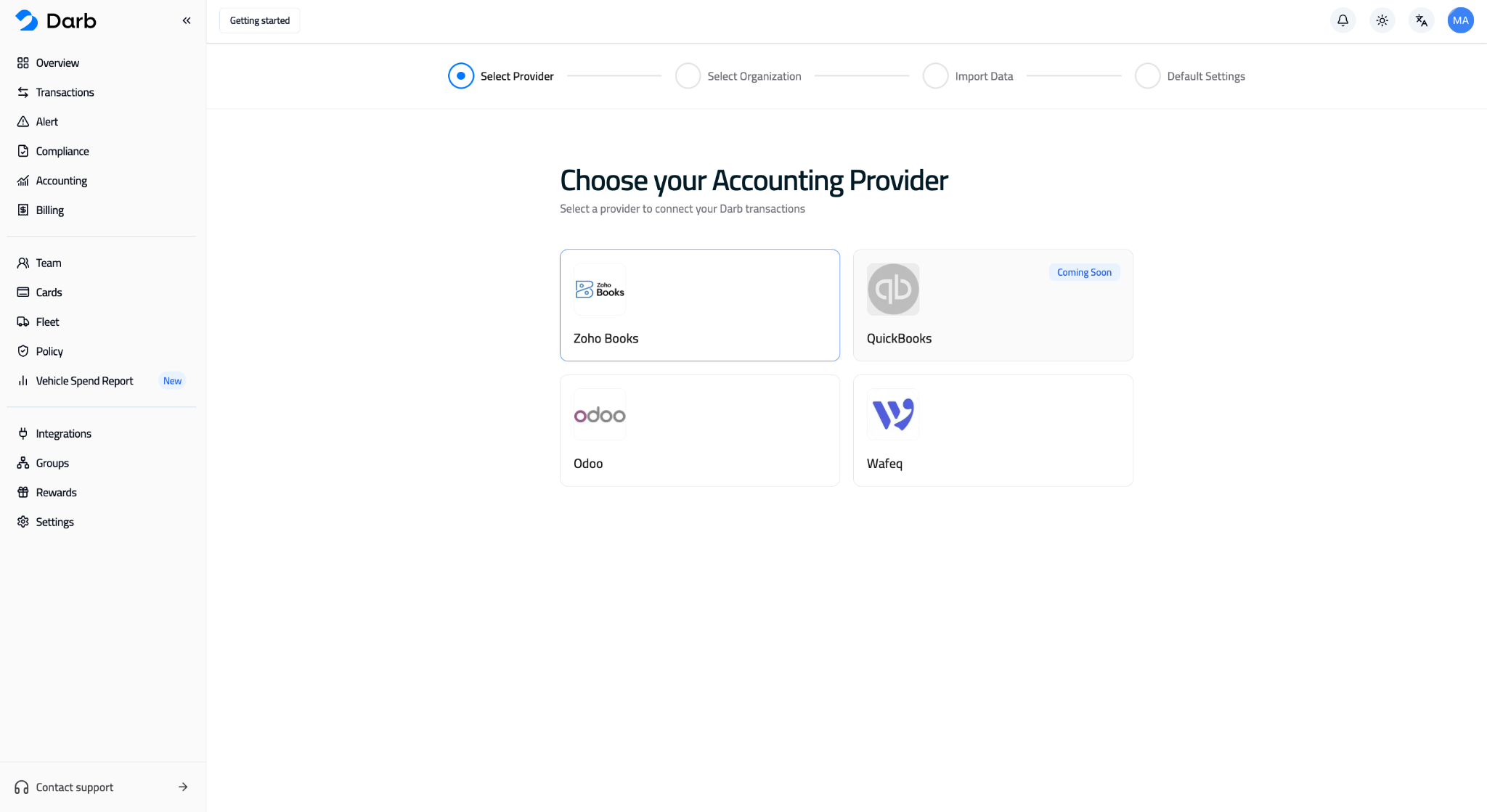
- Select Odoo from the list of accounting providers.
Step 2: Enter your Odoo connection details
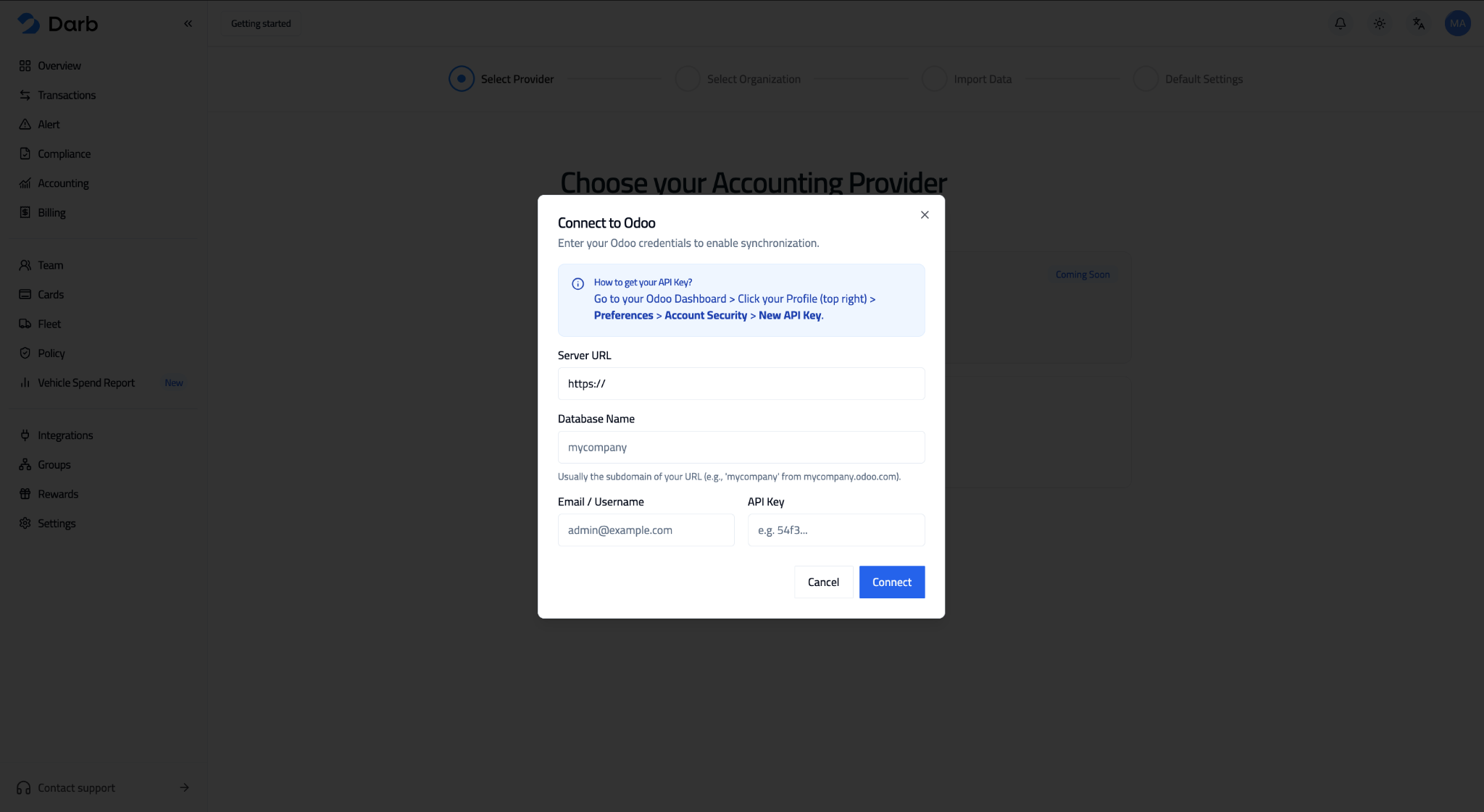
An info card will appear. Fill in your Odoo details:
- Paste the URL of your Odoo database — for example, https://your-company.odoo.com.
- Enter the database name — usually the "your-company" part of the URL.
- Enter the email address you use for Odoo.
Step 3: Generate your Odoo API key
You'll need an API key from Odoo to complete the connection. In Odoo:
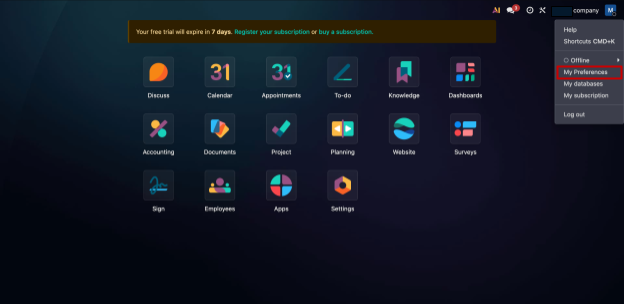
- Click your account symbol in the top right, then open My Preferences.
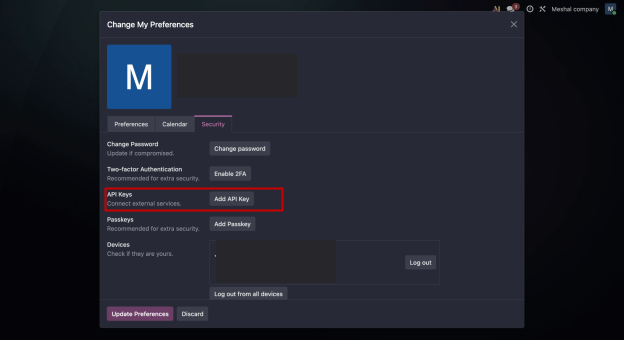
- Go to the Security tab.
- Click Generate API Key, and choose a long enough duration so the key stays valid.
- Copy the API key and paste it into the matching field in Darb.
Tip: Choose a long enough duration for the API key so the integration stays active on Darb without needing frequent re-connection.
Step 4: Import and sync
- Import your data from Odoo.
- You're ready to sync your transactions from Darb to Odoo.
Need help?
If you need support, contact us: Email info@darbpay.com — Phone 0114516488 (Sunday–Thursday, 9:00 AM – 5:00 PM, KSA Time).