 Darb
DarbHow to Request a New Card
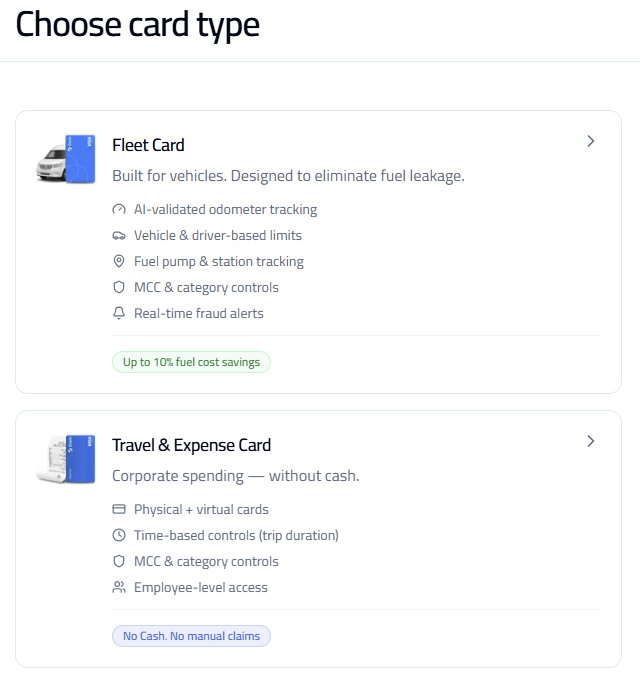
Request a new fleet, travel or expense card from your dashboard.
- Go to Cards and click + Add Card.
- Select the Product Type.
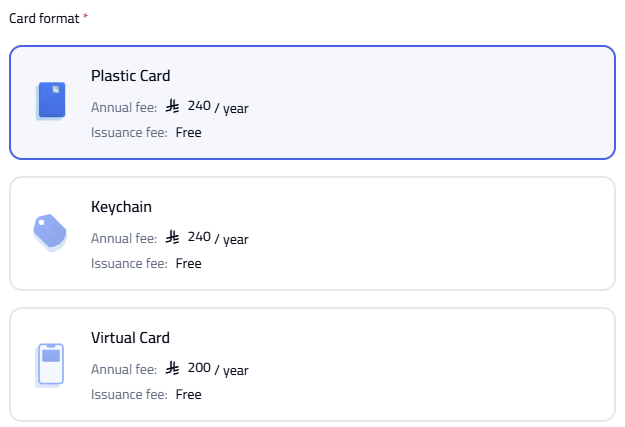
- Select the Card Format (and quantity if plastic).
- Enter the required details and click Save.

Card Fees
Fleet Cards — Plastic Card: 240/year, Keychain Card: 240/year, Virtual Card: Free. Travel & Expense Cards — Plastic Card: 240/year, Virtual Card: Free.
Tip: If the user is already registered, you can select them from the Name dropdown. You can request multiple plastic cards by selecting the desired quantity.