 Darb
DarbHow to Set Up a Card Spending Policy
Create a spending policy for a card that doesn't have one yet.
Set up a spending policy for a card that doesn't have one yet. The policy controls how much can be spent, when, and where the card can be used. This is separate from a vehicle (fleet) policy.
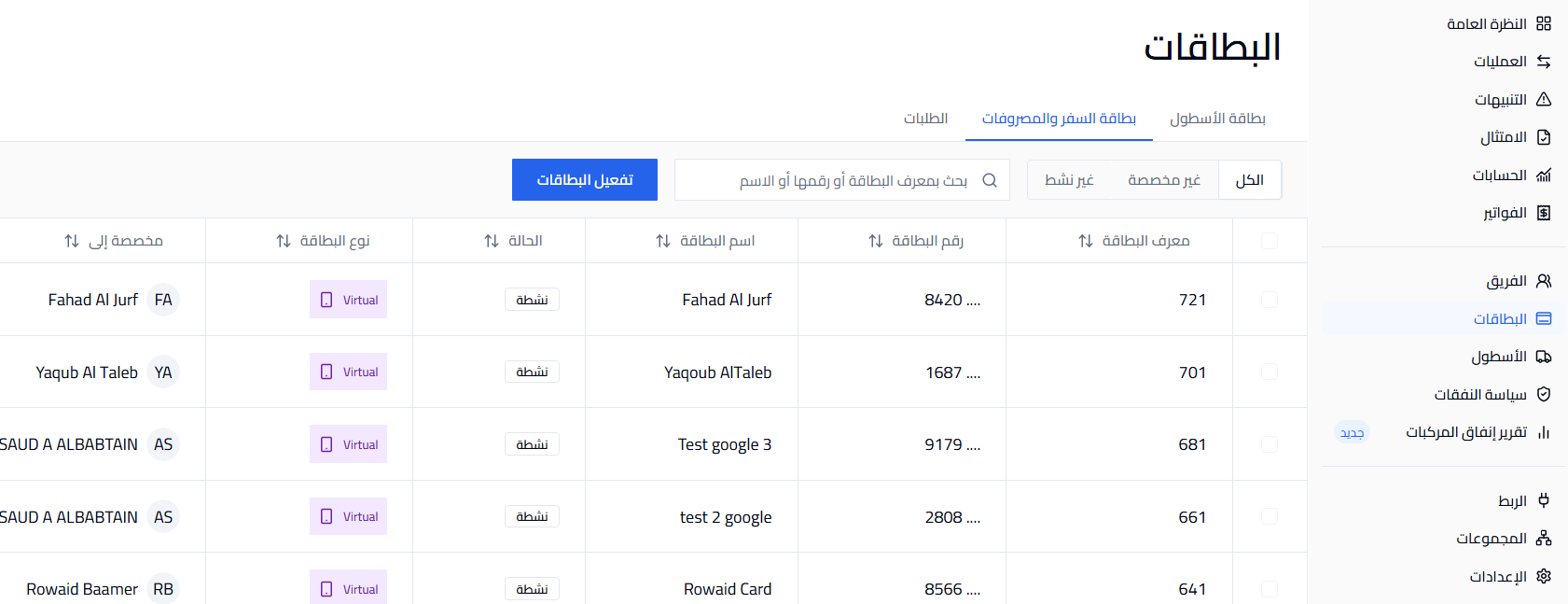
- Go to Cards from the side menu.
- Find and select the card you want to set up.
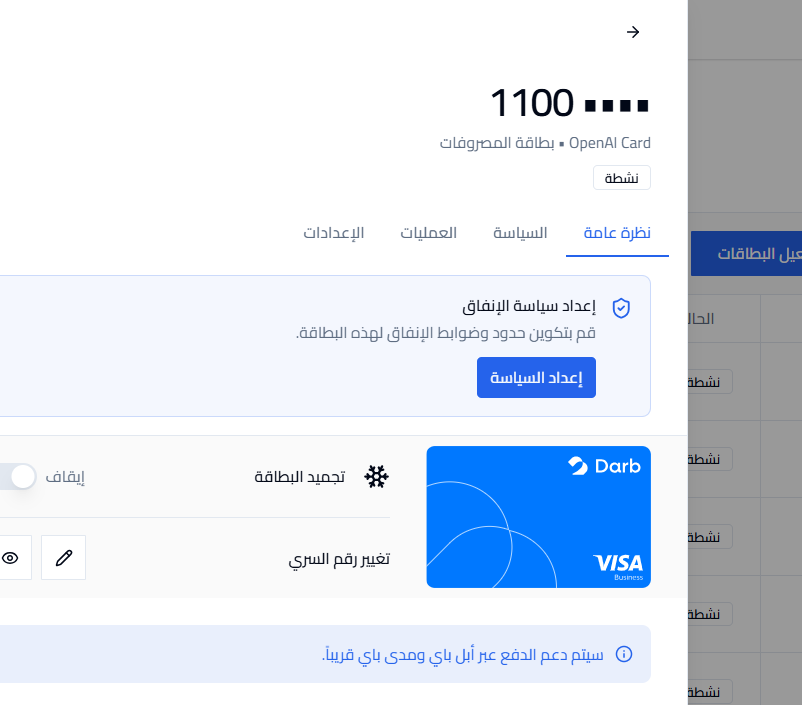
- Open the card and stay on the Overview tab.
- Under Set up spending policy, click Set up policy.
- Set the Spending Limit: enter the maximum amount, keep the currency as SAR, and choose the period — Daily, Weekly, Monthly, or One-time.
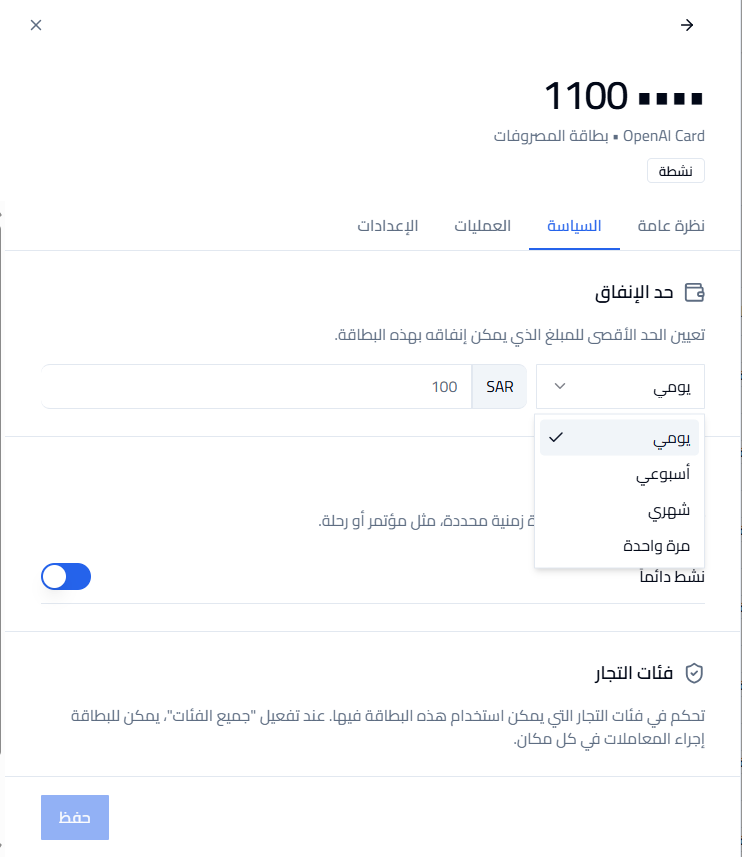
- Set Time Control (optional): restrict the card to a specific period such as a conference or trip, or keep Always active turned on.
- Set Merchant Categories: turn on All categories to allow spending everywhere, or restrict the card to specific categories.
- Click Save.
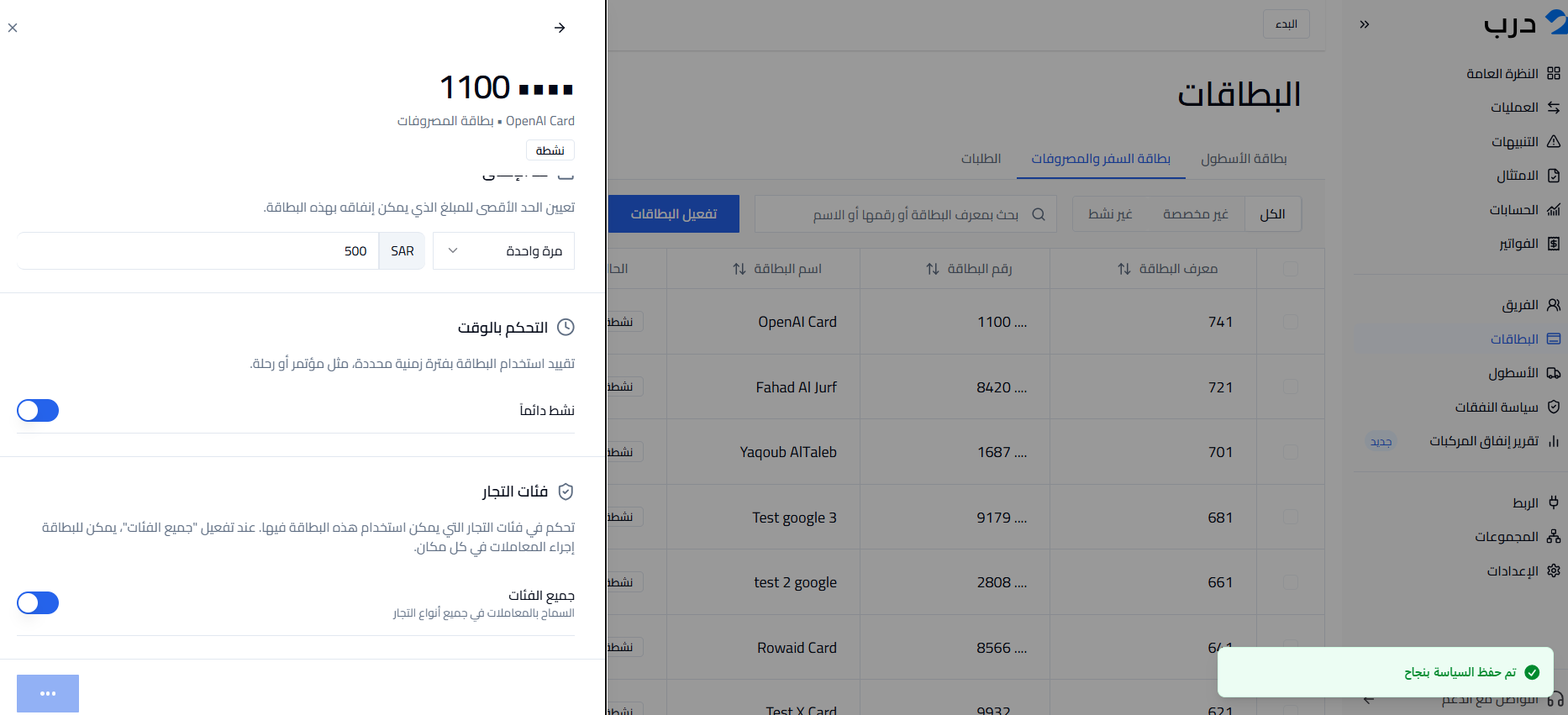
Note: Once saved, you'll see "Policy saved successfully". You can update these settings anytime from the card's policy.