Getting started

    Applying and Signing Up for Darb

    Step-by-step guide to creating your company account and submitting your application.

    To sign up for Darb:

    Go to app.darbpay.com/client/signup
    1. Use your official business email address (e.g., name@company.com).
    2. Use your official business National Unified Number (starting with 70).
    3. Click Continue to verify your company information.
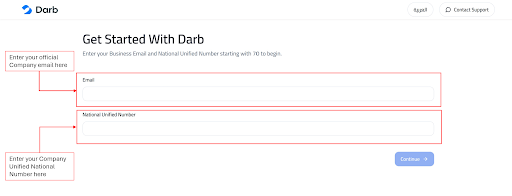
    Darb sign-up form showing Business Email and National Unified Number fields.
    Enter your official Company email and National Unified Number to begin.
    1. Confirm the information matches your company details.
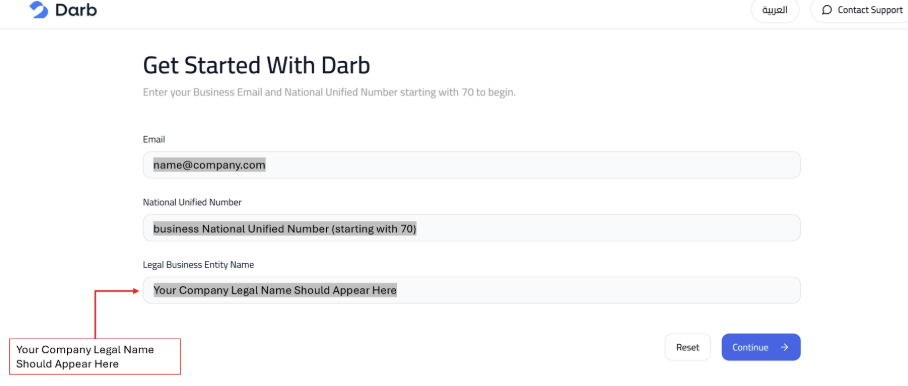
    Sign-up form showing Legal Business Entity Name appearing automatically.
    Your company's legal name will appear automatically based on your National Unified Number.
    1. Select your ID Information if you are an authorized person — your ID should appear automatically.
    2. If your ID is not displayed and you are the legal signatory, click No, enter your ID number and upload the power of attorney letter.
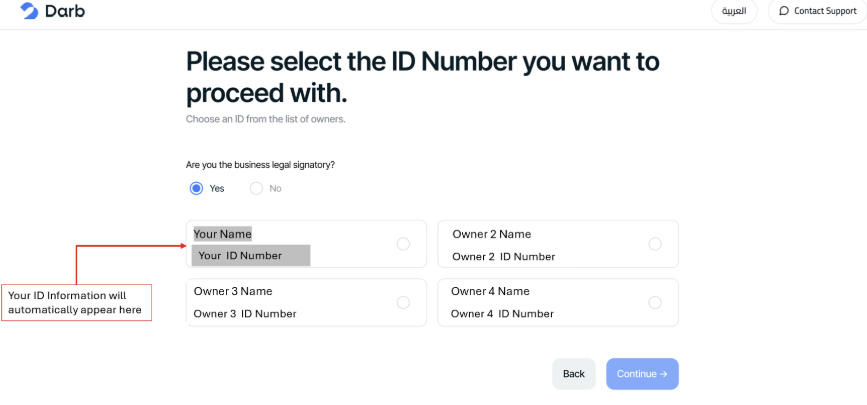
    Select the ID Number screen with owner options and Yes selected for legal signatory.
    If you are the legal signatory, select Yes — your ID information will appear automatically.
    1. Enter your phone number and answer the questions carefully with YES or NO.
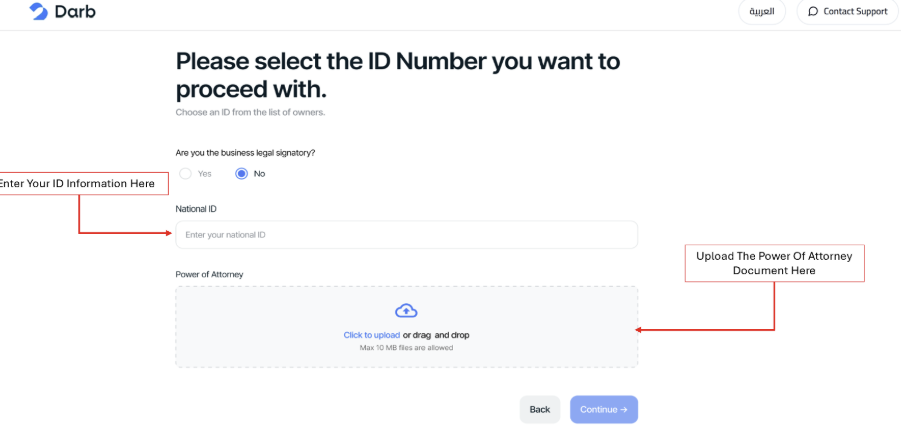
    Select the ID Number screen with No selected, showing National ID field and Power of Attorney upload area.
    If you are not the legal signatory, select No, enter your National ID, and upload the Power of Attorney document.
    1. Click 'Verify Now' to receive an OTP confirming the verification process.
    Tip: You must use your official phone number that is linked to your ID number.
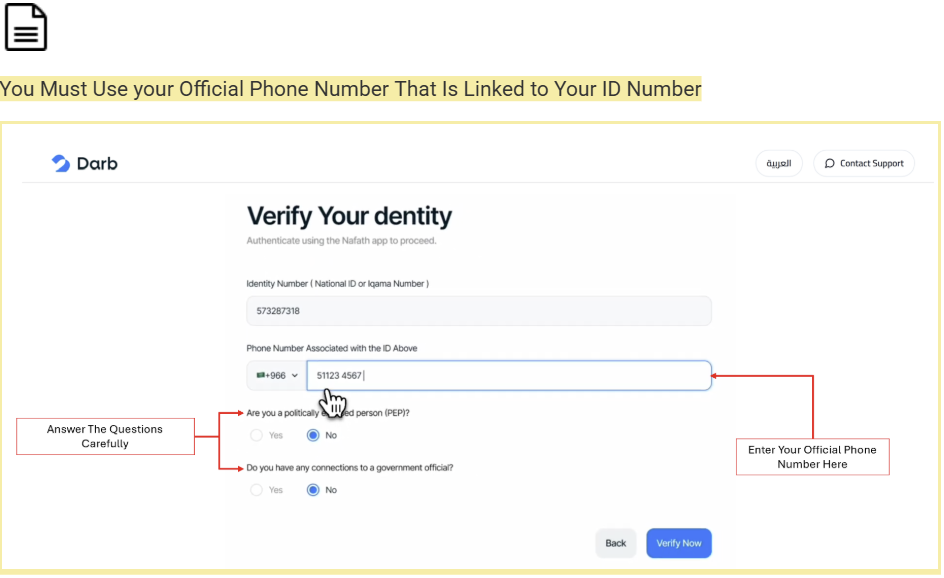
    Verify Your Identity screen with phone number field and PEP questions.
    Enter your official phone number linked to your ID and answer the screening questions carefully.
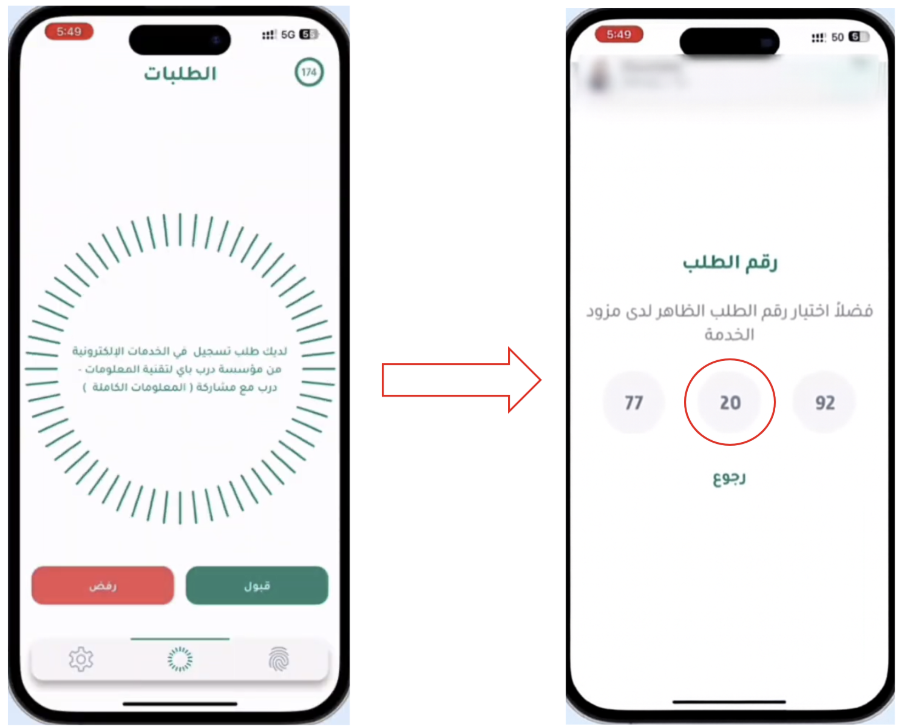
    1. Open the Nafath app on your phone and select the same number displayed on the Darb screen.
    2. Upload your company Article of Association and Bylaws documents and click Continue.
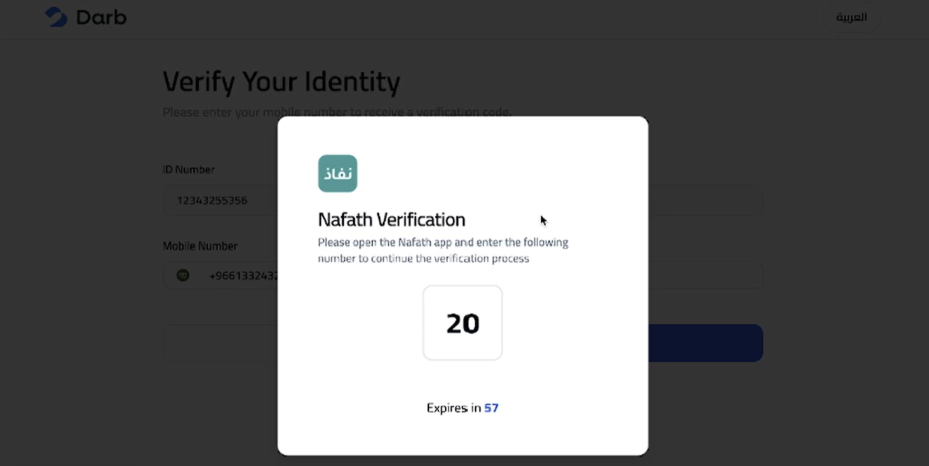
    Nafath Verification modal displaying a verification number to match in the Nafath app.
    Darb will display a Nafath verification number — open the Nafath app to confirm.
    Nafath mobile app showing the incoming request and the matching verification number on the next screen.
    Accept the Darb request in the Nafath app, then select the same number shown on the Darb web screen.
    1. Review the summary of your application, agree to Darb's Terms and Conditions, then submit.
    2. Check your email and follow the log-in instructions to access your dashboard.

    Need Help?

    If you have questions during the application process, email support@darbpay.com or call 8001110980 (Sunday–Thursday, 9:00 AM – 5:00 PM).

    Need more help?

    Our support team is one click away — Sunday to Thursday, 9 AM – 5 PM (KSA).

    Related articles