 Darb
DarbCard Locked Due to Multiple Incorrect PIN Attempts
Unlock a card locked after repeated incorrect PIN attempts. The account manager must reset the PIN; the card then becomes active automatically.
Why Is My Card Locked?
For security purposes, if a PIN is entered incorrectly multiple times in a row, the card is automatically locked to prevent unauthorized use.
How Do I Unlock It?
The card cannot be unlocked on its own — a PIN reset is required from the account manager. Once the PIN is reset, the card will automatically become active again.
Steps for the Account Manager
- Go to the Cards section.
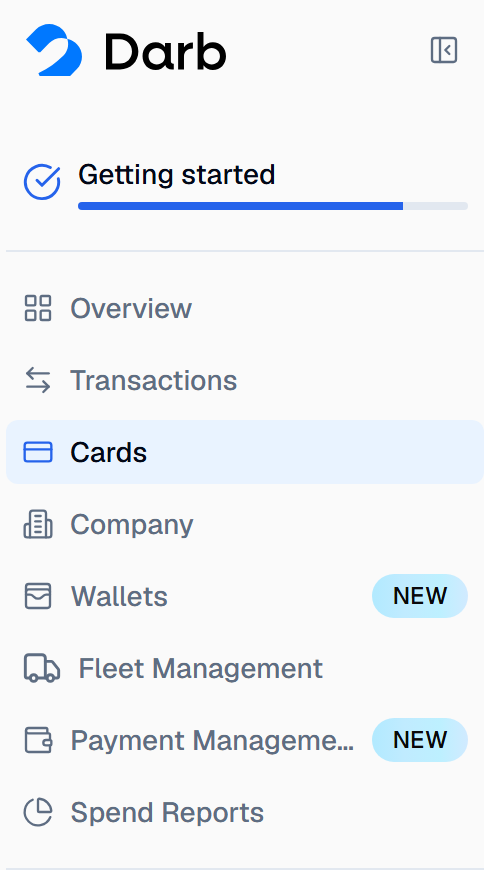
- Select the affected card.
- Choose Change PIN.
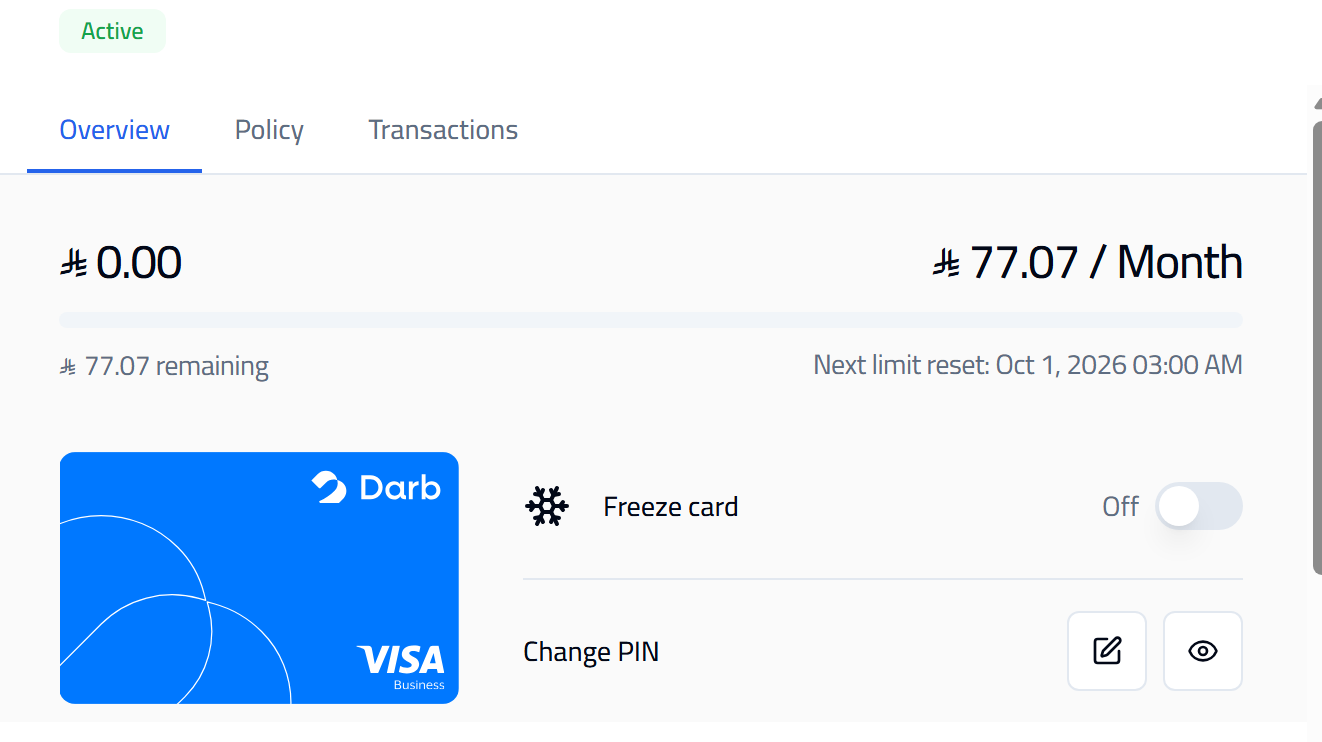
- Complete the PIN reset. The card will automatically unlock.
- Use the new PIN to resume transactions.
Note: The card will remain locked and unusable until the PIN reset is completed — there is no separate "unlock" step needed after the reset.